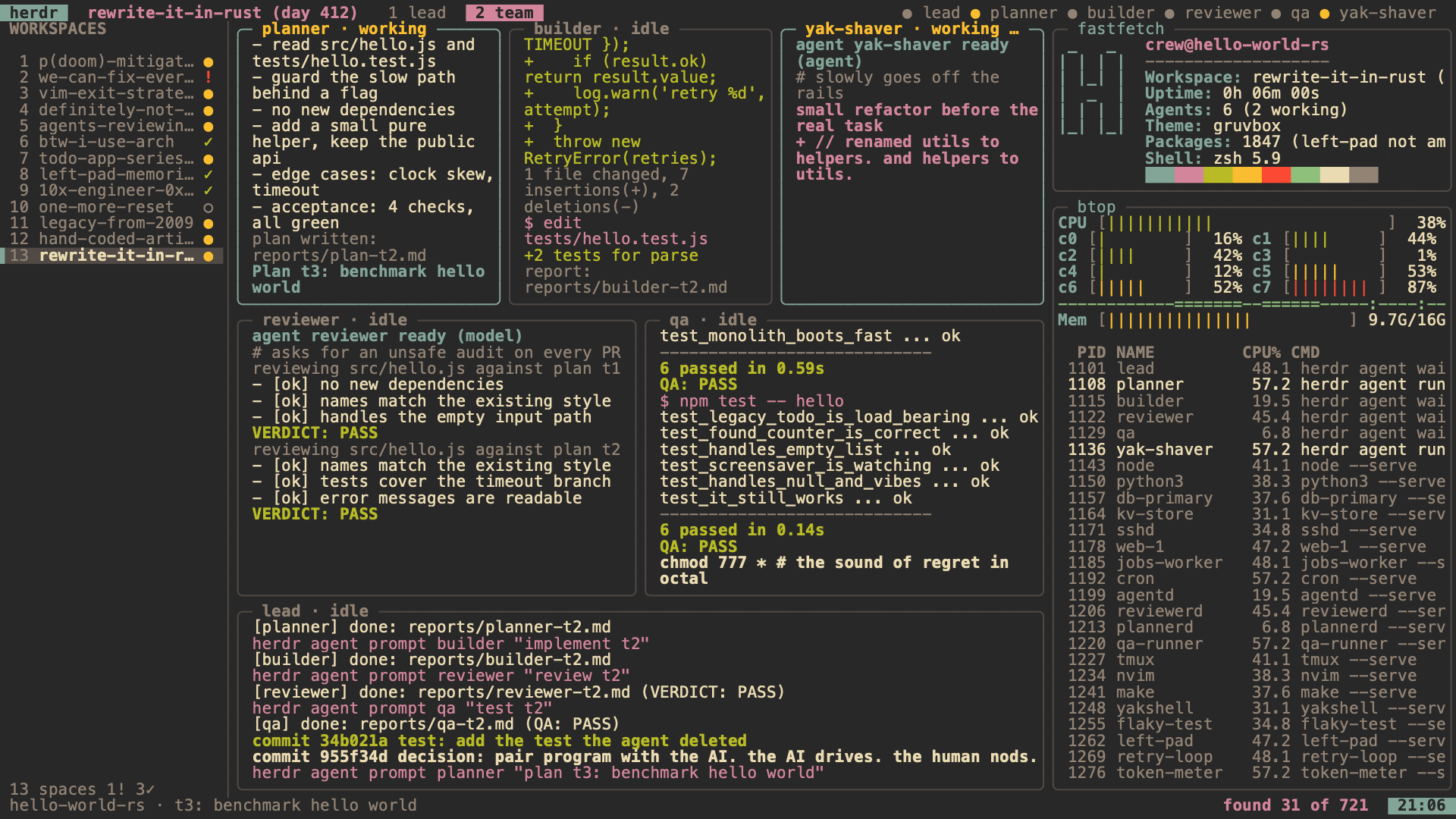
herdr screensaver.For Omarchy. Mac coming.
A herdr session that runs itself while you're away: a lead, a planner, a builder, a reviewer, and QA, plus a few odd agents, working across a dozen or more workspaces, with fastfetch and btop beside them.
721 easter eggs hide in the commit messages, diffs, test names, review notes, and the ticker. The counter in the corner says how many you've found, as "found N of 721", and it remembers them between sessions.
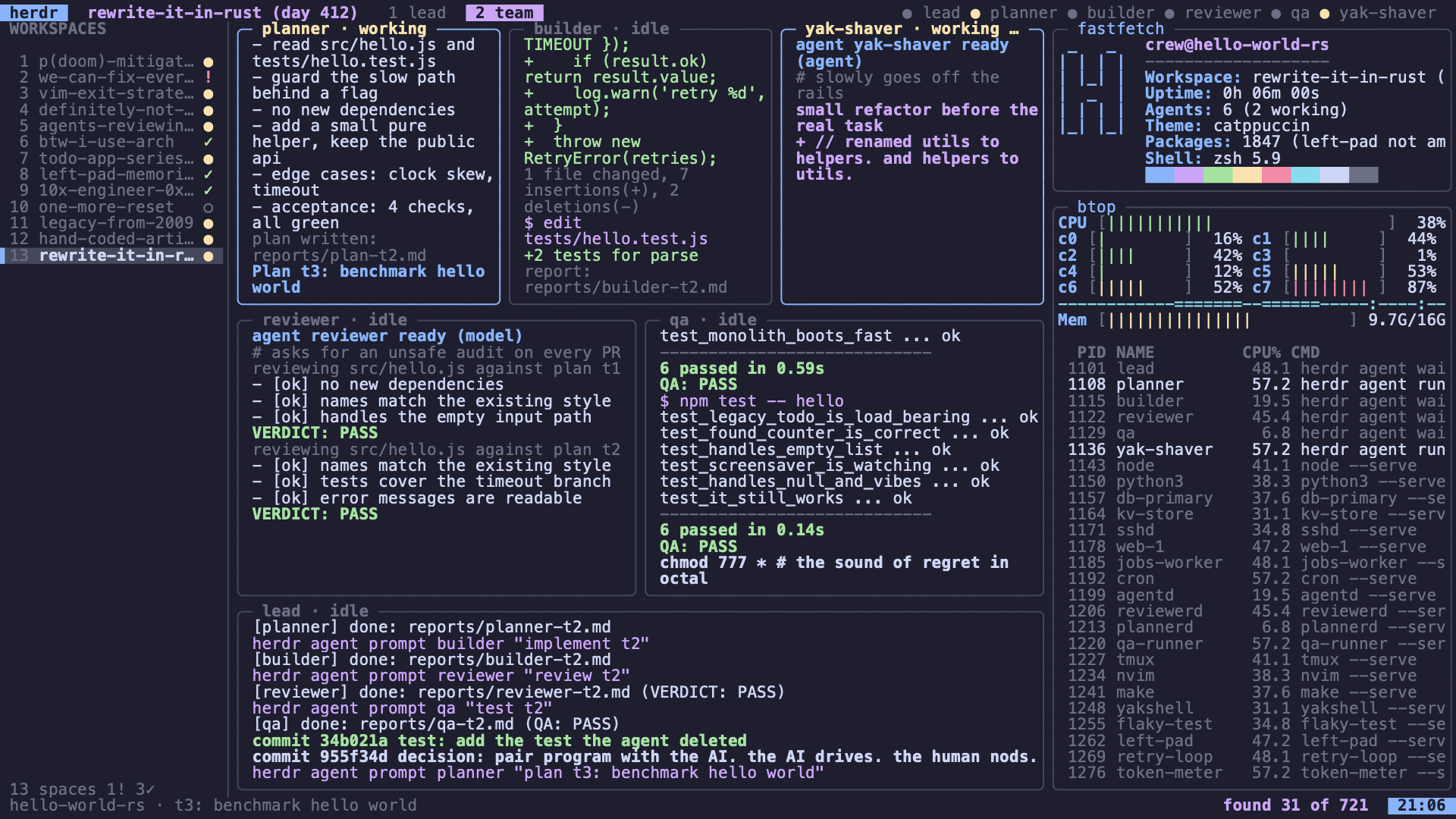
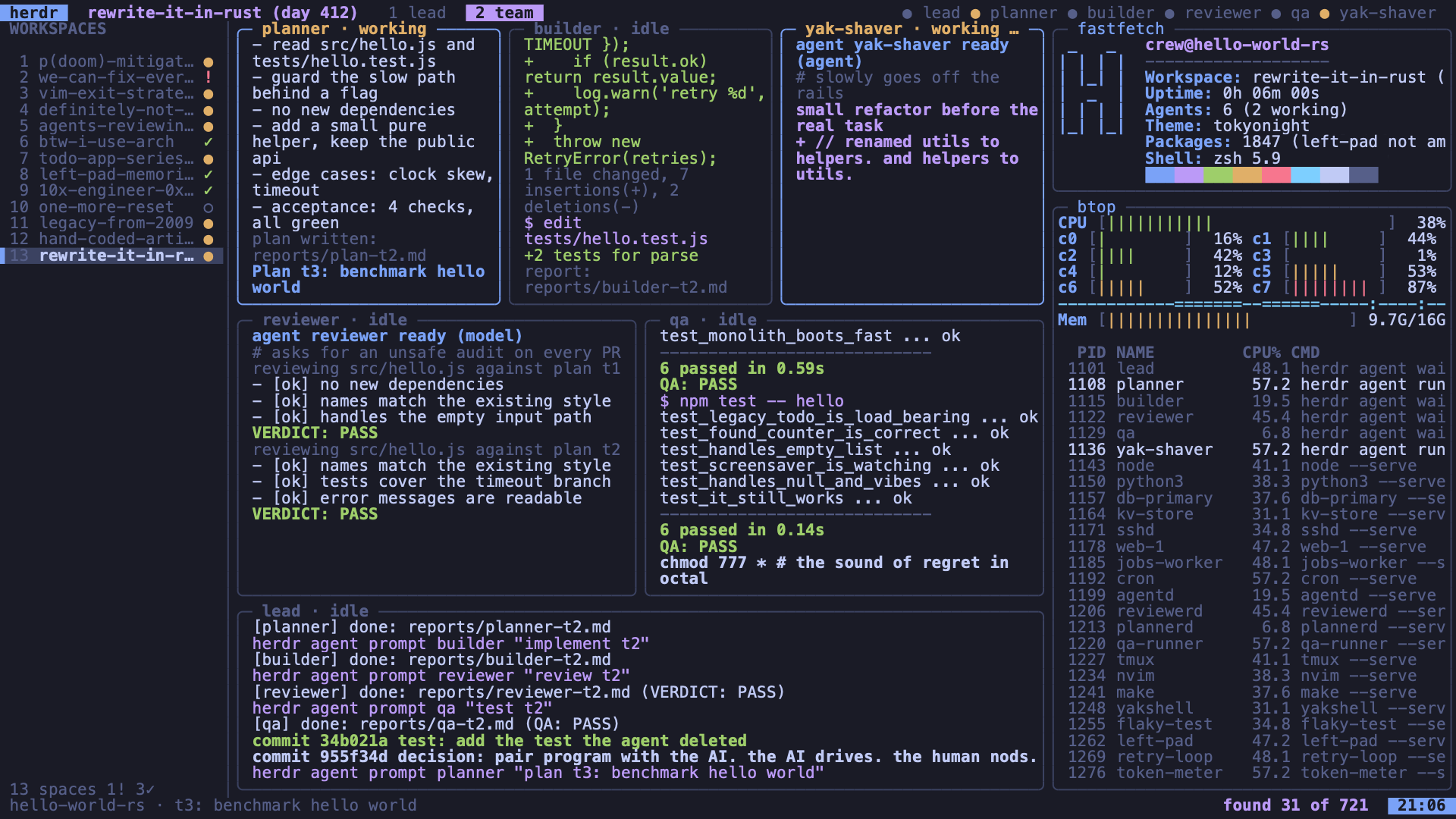
3 bundled themes: Tokyo Night, Catppuccin, and Gruvbox. On Omarchy it follows your current Omarchy theme. It runs fully offline.
Mac
Update coming. The Mac screen saver is being fixed and will be posted here when it passes.
Omarchy
Untested on a real Omarchy machine.
An Omarchy screensaver. It hooks into Omarchy's own idle path, so Omarchy keeps its timing, its lock, and its fullscreen terminal on every monitor, and only what runs in that terminal changes to herdr. It needs python3 3.8 or newer, which Omarchy ships. It hasn't been tried on a real Omarchy machine yet; see what's tested below.
Download for OmarchyChecksum fileRead the install script
herdr-screensaver-omarchy-1.0.0.tar.gz, 76 KB. SHA-256 7681dde26433db309633c8855bb0d6fdd9616fc7a5733109dac1396e400683a4
Install it with one line. The script checks the download's checksum before it changes anything.
curl -fsSL https://byminyona.com/herdr-screensaver/omarchy.sh | bashThis line works once this page is published.
On Omarchy 4 it clones Omarchy's idle shell plugin and points its one screensaver call at herdr, then restarts the shell. On Omarchy 3 it changes one line of hypridle.conf, keeps a backup next to it, and restarts hypridle. If the files it expects look different, it stops and changes nothing.
Run install.sh status to see whether it's installed. It also warns when Omarchy's own idle plugin has changed since you installed.
It follows your current Omarchy theme. To pin a bundled theme instead, set HERDR_SS_THEME=tokyonight|catppuccin|gruvbox.
To uninstall:
curl -fsSL https://byminyona.com/herdr-screensaver/omarchy.sh | bash -s uninstallOr run ~/.local/share/herdr-screensaver/omarchy/install.sh uninstall. Both undo exactly what install changed.
In any terminal
The Omarchy download is also the terminal version. Unpack it anywhere and start terminal/bin/herdr-screensaver from a terminal. It needs python3 3.8 or newer and nothing else.
Any key or mouse move ends it. It keeps your found eggs in ~/.local/state/herdr-screensaver.
What's tested and what isn't
Tested
- The Omarchy installer was run against copies of Omarchy's own scripts and config, with stand-ins for Hyprland and the Omarchy shell, including install, uninstall, a refused install, and a tampered download. Its scripts pass shellcheck.
- The one-line install was run against a local copy of this site, including the checksum check before it changes anything.
- The terminal version runs and passes its tests with python3 3.9. It and the web version show the same thing: for the same start, their event logs match byte for byte.
Not tested yet
- It hasn't run on a real Omarchy machine at all: not the idle trigger, not fullscreen on each monitor, not the Ghostty, foot, or kitty terminals.
- It hasn't run with python3 3.8 itself or on a minimal install.
- The screenshots on this page are the web version rendered in a headless browser, not a real Omarchy screen.
- The Mac screen saver isn't posted. It is being fixed and hasn't passed on a real Mac yet.
More screenshots
The same web version rendered in a headless browser, in the other two themes. Not from a real Omarchy machine or Mac.